Inbox and Notification Overhaul: Design a Calm Digital Environment in One Weekend
A calm digital environment doesn’t happen by accident. It happens when you make a few clear decisions about what deserves your attention, and what doesn’t.
Most people don’t have an “attention problem.” They have an input problem. Notifications, emails, pings, badges, banners, vibrations, breaking-news alerts, social updates, calendar nudges, app promotions. The constant trickle trains your nervous system to stay slightly activated all day, even when nothing is truly urgent. You feel busy, reactive, and mentally noisy; then wonder why deep focus and calm feel so hard.
This post is a one-weekend reset. It’s not about becoming unreachable. It’s about designing a system where you can be responsive without being constantly interrupted. You’ll learn practical email and notification management tips, a simple digital declutter for productivity approach, and how to reduce notification overload in a way that actually sticks.
You can do this in a weekend. And if you do, your brain will feel the difference on Monday.
Why notification overload feels so exhausting
Notification overload isn’t just annoying. It has a psychological cost. Each ping creates a micro-interruption: a quick attention shift, a tiny stress response, a small question your brain has to answer. “Is this important? Do I need to respond? What did I miss?”
Even if you don’t pick up your phone, your attention has been pulled. Your mind is now split between what you were doing and what you might need to do next. Over time, that creates a baseline sense of restlessness and “never fully off.”
There’s also a trust issue. When your inboxes are messy and notifications are everywhere, you stop trusting that you’ll catch what matters. So you check constantly to reduce anxiety. That checking creates more anxiety. That’s the loop.
A digital declutter for productivity is really a trust rebuild: you redesign your inputs so you can stop scanning for danger.
The goal of an overhaul: fewer inputs, clearer lanes
The goal is not “inbox zero.” The goal is a system where inputs have lanes.
You want:
A clear lane for urgent communication.
A scheduled lane for non-urgent messages.
A quiet lane for deep work.
A protected lane for rest.
When inputs are in lanes, your brain stops treating everything as urgent. That’s what creates calm.
Your one-weekend plan (simple and realistic)
You’re going to do this in four phases:
Saturday morning: notifications reset.
Saturday afternoon: inbox triage and subscriptions.
Sunday morning: folders/labels and filters.
Sunday afternoon: maintenance habits so it stays calm.
You don’t need perfection. You need a big reduction in noise and a simple maintenance rhythm.
Saturday morning: the notification reset
Start with your phone. That’s usually the biggest attention leak.
Before you change anything, decide what you actually want notifications to be for. For most people, the answer is: things that are time-sensitive or genuinely important; calls, texts from key people, calendar alarms, security alerts.
Everything else is optional.
Now do the basic reset. Turn off notifications for apps that don’t need to interrupt you. Social media, shopping apps, games, news, random promotions, “streaks,” and “we miss you” reminders. You can still use these apps. You’re just removing their ability to tap you on the shoulder all day.
Then decide how you want notifications to appear. Many people benefit from turning off lock-screen previews and badges for most apps. Badges create a constant “unfinished” signal, which keeps your brain scanning. If you want a calm mind, reduce the visual red dots.
If you’re nervous about missing something, start with a middle approach: keep notifications for a small set of people and true time-sensitive apps, and silence everything else. You can always adjust later.
If you work on a team, this is where “Do Not Disturb” becomes your best friend. Set up a focus mode that allows key contacts and blocks everything else during a focus window.
If you want a structured focus container, a tool like Mental Flow Timer can help you stick to the boundary by giving your focus session a start and end. The point isn’t the timer, it’s the protected lane for attention.
Saturday afternoon: inbox triage and subscription cleanup
Now move to email. Email overload often comes from two sources: too many incoming messages, and too many unresolved messages sitting in your inbox.
Start by choosing a principle: your inbox is not a storage unit. It’s a triage zone.
Your first job is to reduce incoming volume. Unsubscribe ruthlessly. Promotions, newsletters you don’t read, marketing blasts, “updates” from apps you don’t care about. If you feel guilty unsubscribing, remember: you’re not rejecting a person. You’re reducing noise.
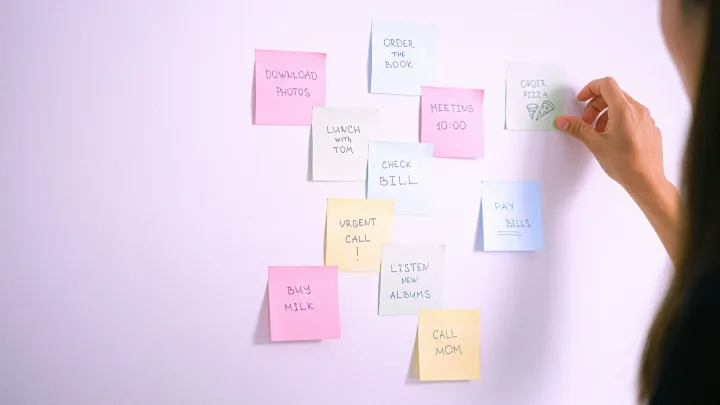
Then do a fast triage of what’s already in the inbox. You’re not trying to perfectly organize years of email. You’re trying to remove the emotional pressure of a crowded inbox.
A simple approach is: archive anything you don’t need to act on, and leave only actionable items visible. Most emails are not actionable. They are information or record-keeping. Move them out of sight.
If you’re afraid of losing something, archiving is your friend. You can always search later. The benefit is that your inbox becomes a list of “things to handle,” not a museum of old messages.
Sunday morning: labels, filters, and the “important lane”
This is where you create lanes so your inbox stays calm.
You want a few categories. Not twenty. Keep it small so you’ll actually use it.
A simple structure:
One label for receipts and orders.
One label for newsletters.
One label for work or school.
One label for family or personal.
One label for “needs action.”
Then set filters so non-urgent stuff skips the inbox. Newsletters should not land in the same lane as messages from your boss, your kid’s school, or a time-sensitive bill.
If you don’t know where to start, start with the biggest volume sources. Filter them out of the inbox into their label. This one move can cut your inbox noise in half.
The goal is not a perfect filing system. It’s a calmer default view.
Sunday afternoon: create a maintenance rhythm (so it doesn’t come back)
Most people do a declutter once, then slowly drift back into chaos. Not because they’re messy, but because they didn’t design maintenance.
You need two habits:
A daily mini-check.
A weekly reset.
The daily mini-check can be short: one or two email windows per day rather than constant checking. Decide your times. Mid-morning and late afternoon works for many people. Outside those windows, email is closed.
This is the heart of reduce notification overload: you stop being on-call to your inbox.
The weekly reset is where you clear the remaining loose ends: reply, schedule, archive, and reset your “needs action” lane.
If you like having reminders for these routines, you can set them as small habits in Conqur’s Habit Tracker. Keep them realistic, like “Inbox reset (10 minutes)” three times per week rather than daily perfection.
And if digital overwhelm triggers anxious energy, pairing your weekly reset with a short calming practice can help you approach it without dread. A brief Box Breathing reset can be enough to keep the process gentle.
The “calm digital environment” rules that keep it working
Once you’ve done the overhaul, you’ll want a few rules that protect the calm.
One rule is: notifications are for time-sensitive communication, not entertainment. You can still enjoy entertainment—you just choose when.
Another rule is: your inbox is a triage zone, not a storage unit. Archive aggressively.
Another rule is: checking is scheduled. You don’t check whenever you feel a flicker of discomfort.
And a final rule is: if something matters, it gets captured into a trusted task system rather than staying as an unread email forever. If you use a task list as your capture point, you can move actionable items into your To-Do List so your inbox doesn’t have to hold your responsibilities.
What you’ll notice after one weekend
The first thing you’ll notice is quiet. Not just external quiet; internal quiet. Less scanning. Less compulsion to check. Less background anxiety.
The second thing you’ll notice is better focus. Not because you became more disciplined, but because you removed dozens of tiny interruptions.
The third thing you’ll notice is trust. You’ll trust that you’ll see what matters. You’ll trust that your system has lanes. And when you trust your system, your brain relaxes.
That’s the real point of a digital declutter for productivity. It’s not about being organized for its own sake. It’s about living inside your life with less noise.
Your weekend checklist (minimal and doable)
If you want a quick recap, here’s the weekend in one flow:
Saturday morning: silence non-essential notifications and clean up badges.
Saturday afternoon: unsubscribe and archive aggressively.
Sunday morning: create a few labels and filters so noise skips the inbox.
Sunday afternoon: choose check-in windows and a weekly reset routine.
Do the basics. Don’t overbuild. You can refine later.
A calm digital environment isn’t a personality trait. It’s a design choice. And you can choose it in one weekend.